
Should your website confirm an appointment or take a request?
Use the capacity on your shop floor to decide what a customer can safely reserve on your website.
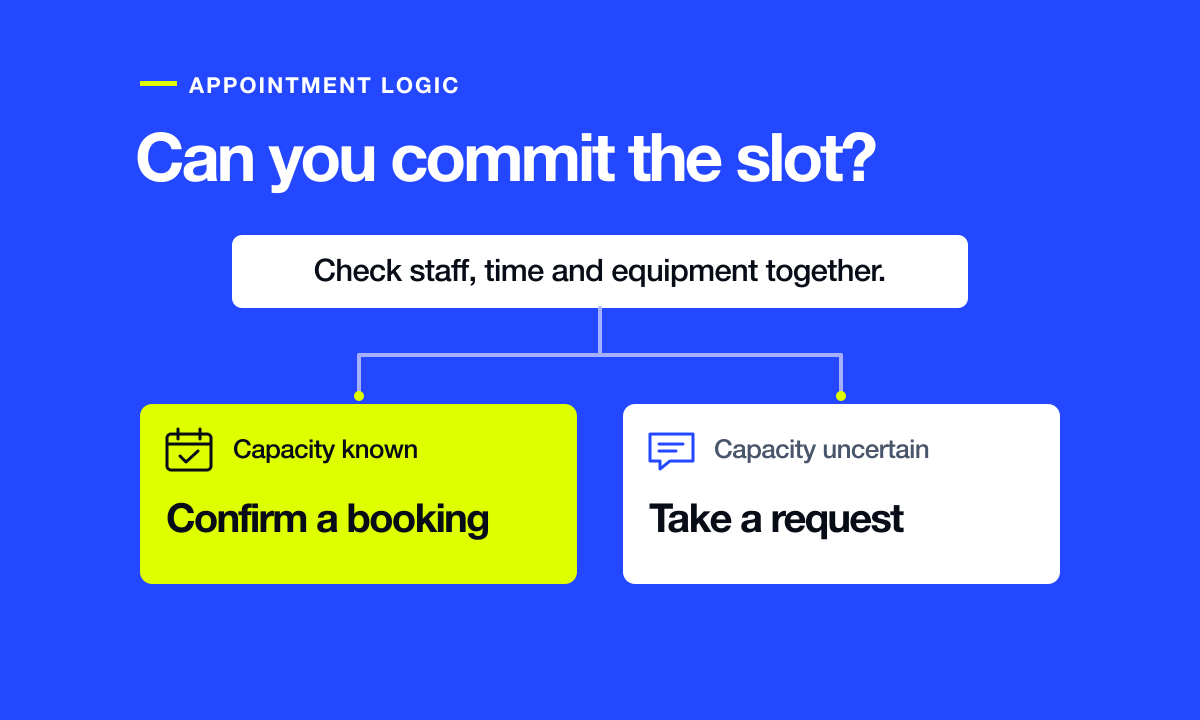
A bike shop with two mechanics and one fitting station looks as though it has two appointments available at ten on Saturday. For a bike fit, it has one. The booking page needs to know which resource a service uses before it can promise that time to a rider.
Imagine that shop operates in Burlington. It offers straightforward fittings and also takes in bicycles with shifting problems. The fitting has a known duration and a dedicated station. A grinding noise could need a quick adjustment or parts the shop has to order. These two jobs deserve different buttons.
Decide what the customer is reserving
List each service beside its duration, the person qualified to do it, the equipment it uses and any time needed between customers. If a sixty-minute fit occupies the station for another fifteen minutes while the mechanic resets it, block seventy-five minutes of station time.
For the shifting problem, the shop might offer a confirmed fifteen-minute drop-off. Label it “Book a drop-off” and explain that the repair estimate follows inspection. If the shop first needs to review a photo or confirm it services that bike, use “Request a repair assessment” and say when a person will reply.
Make availability match the shop floor
Choose a staff member to keep online availability current when someone calls in sick, takes a lunch break or accepts a phone booking. If both employees can perform a fit, the calendar still needs a shared limit for the single station. Ask the booking supplier whether your plan can reserve equipment as well as staff.
Try the Saturday collision before launch. Put an in-person fitting in the staff calendar, then open the customer booking page. The same fitting time should disappear. Separately check whether another service that only needs the second mechanic is still available.
Write the payment and confirmation messages together
If this shop chooses a $25 deposit for a fitting, the booking page should state when it is taken, how it is applied to the final bill and what the shop does when a customer changes the date. Ask the supplier to demonstrate a reschedule and a cancellation using its test payment mode.
A request form can acknowledge receipt immediately. Its email might read, “We received your assessment request. A mechanic will email you by the end of the next working day to arrange a time.” A confirmed fitting should instead show the reserved date, local time, location and the route to change it.
Run three bookings with the team
- Book the last fitting of the day. Verify the reset time stays inside the shop’s staffed hours and the reminder gives the right arrival time.
- Have two staff members try for the final test slot from separate devices. A confirmed slot should go to one rider, and the other should get a clear route to another time.
- Send an assessment request after closing. Check that it reaches a monitored inbox, has a person assigned and gives the customer an accurate next step.
Browse real Done48 client websites